Keep exam schedules and marks records together
A school exam involves more than setting a date. Each class needs the correct subjects, assessment components, maximum marks, and grading scale. Teachers then need to enter results against those same details.
InstiKit connects exam schedules with marks entry so the exam coordinator and teachers work from a shared assessment setup.
Prepare the exam timetable
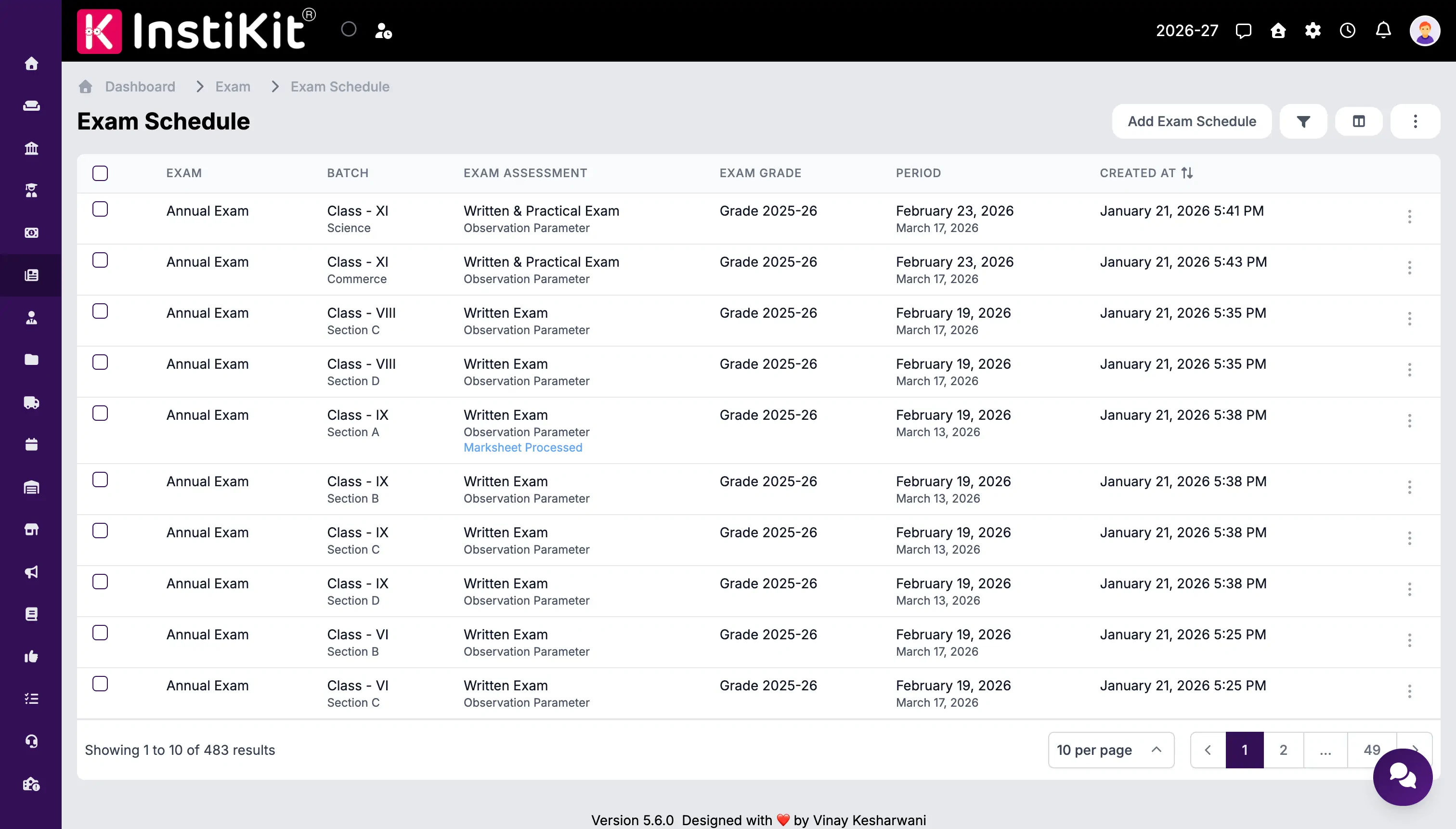
Create the exam and set up schedules for the required classes and sections. For each subject, record the exam date, start time, and duration.
The schedule also connects the class to its assessment structure and grading scale. Schools can assign observation and competency setups where these form part of the assessment.
Keeping these settings together helps teachers find the correct assessment when it is time to record marks.
Record marks for each assessment component
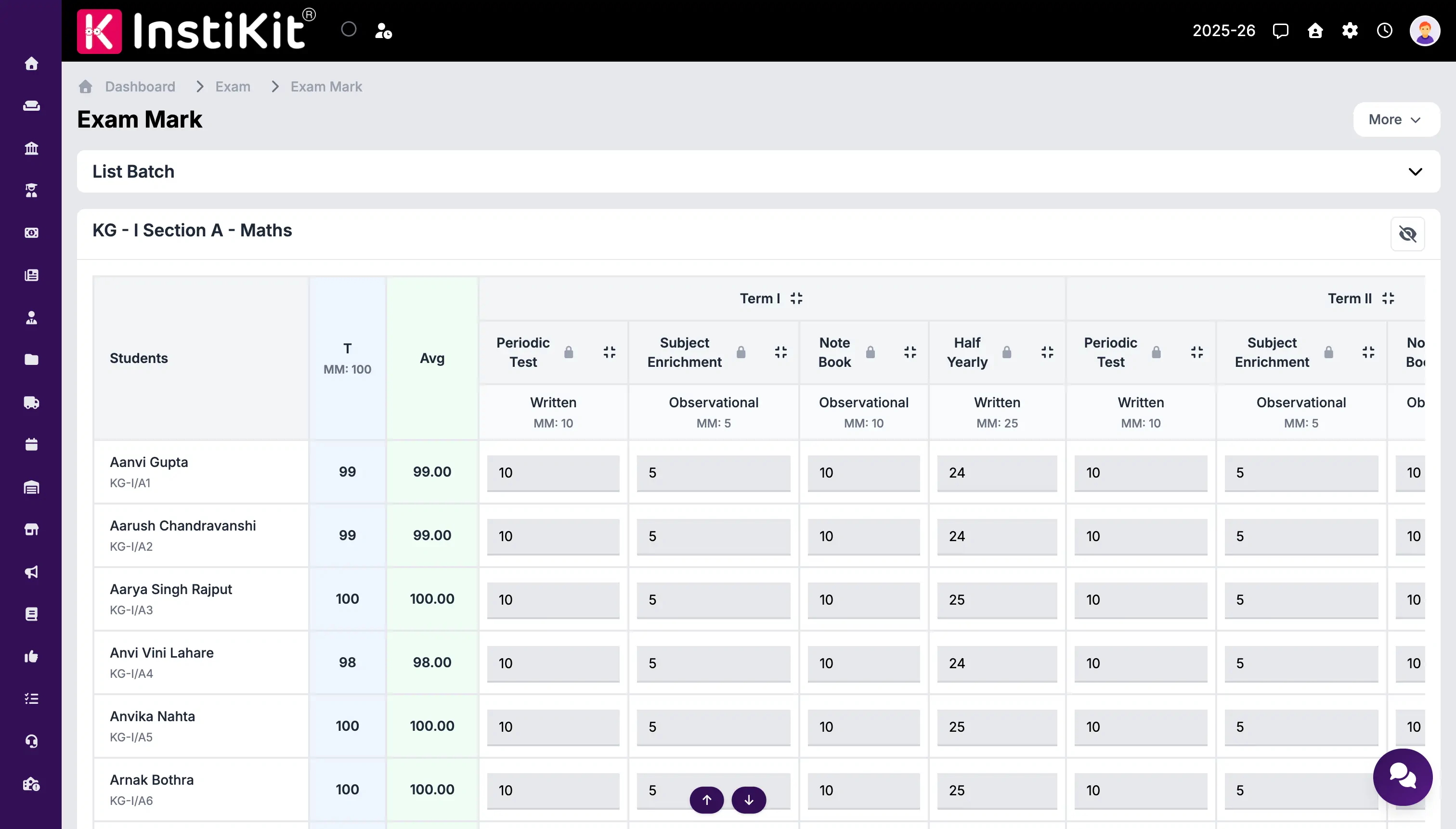
Schools can define the components that make up a subject assessment. A science exam, for example, could include a written paper and a practical assessment with separate maximum marks.
Teachers select the exam, class or section, and subject to enter student marks. The marks entry form uses the components configured for that subject. Teachers can also record subject comments.
Numeric marks are checked against the allowed range. This helps catch entries that are below zero or higher than the configured maximum before they are saved.
Import marks from Excel
Schools that collect marks in spreadsheets can use the supplied exam marks and subject marks import formats. The import checks the records and reports validation errors that need attention.
Teachers should use the provided format and the correct student, subject, and assessment details. This helps the school bring spreadsheet marks into the same records used for result processing.
Control when marks can be changed
Schools can enable automatic locking after a configured period following the exam date. This gives teachers a defined time to complete marks entry.
When a correction is needed after locking, authorised staff can temporarily unlock the relevant records. Teachers can then make the correction during that permitted window.
Move from marks entry to report cards
Once marks have been checked, the school can process results and prepare report cards. Keeping schedules, assessment settings, and marks connected reduces the need to copy information between separate exam files.