Overview
Student attendance is one of the most frequently used activities in any school. Teachers mark attendance every day, administrators review attendance reports regularly, and parents expect to know whether their child attended school.
InstiKit makes this process simple and fast. Teachers can mark attendance for an entire class in less than 30 seconds, monitor monthly attendance from a single screen, identify continuously absent students, generate printable attendance registers, and notify parents instantly through the mobile app, SMS, or email.
Whether your institution has a few hundred students or several thousand, InstiKit provides a complete student attendance management software that integrates with the school's academic structure.
Why Student Attendance Management Matters
Maintaining accurate attendance records is essential for every school. Paper registers and spreadsheets consume valuable teaching time and make it difficult to analyse attendance trends or communicate with parents quickly.
A digital attendance management system helps schools:
- Mark attendance quickly
- Reduce manual errors
- Calculate attendance percentage automatically
- Track student attendance history
- Identify continuously absent students
- Generate attendance reports instantly
- Notify parents without manual follow-up
InstiKit combines all these capabilities into one easy-to-use attendance module.
How InstiKit Helps Schools Manage Attendance
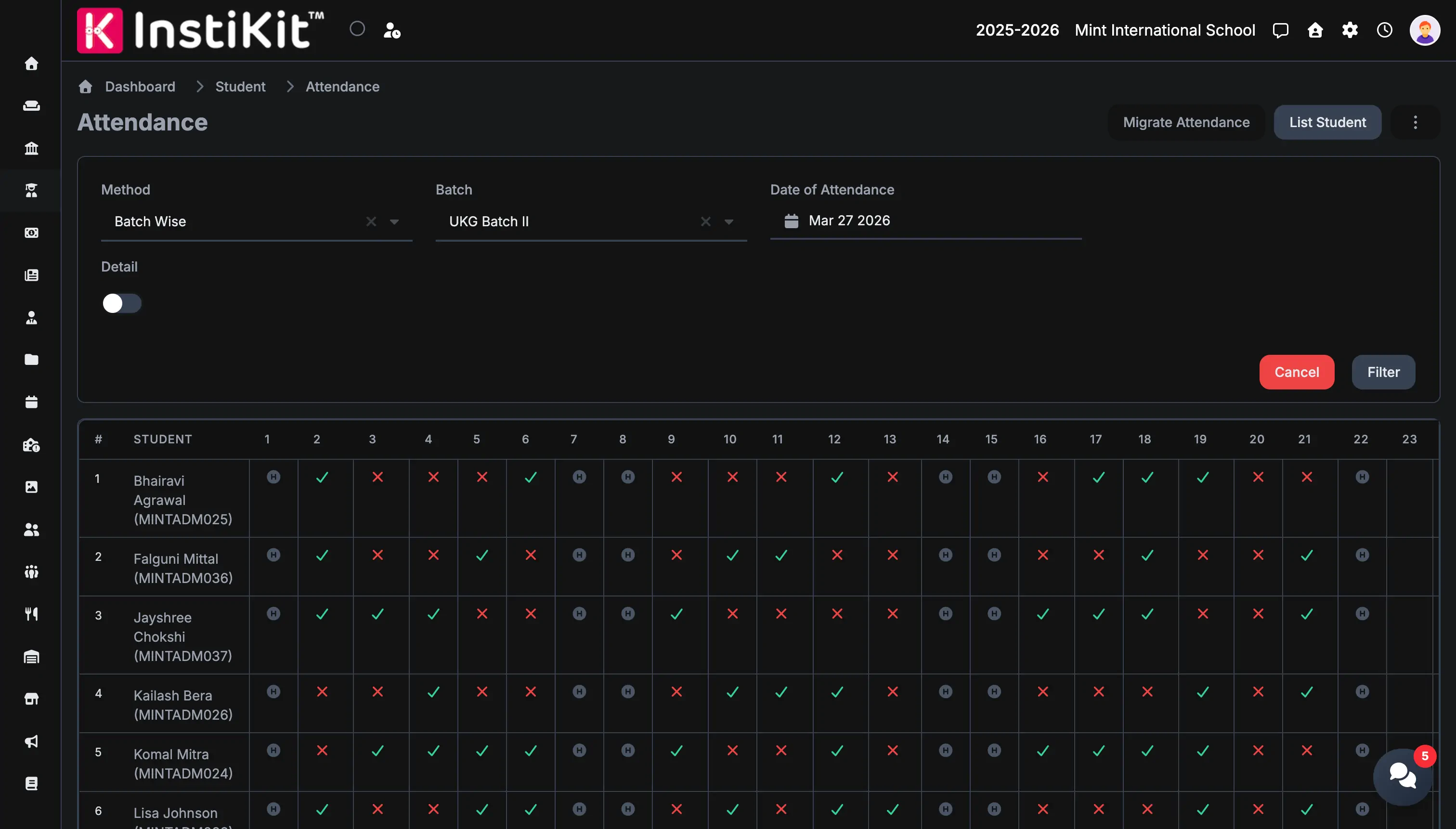
Teachers simply navigate to Student → Attendance, select the attendance date and batch, and InstiKit loads every student from that class on a single screen.
Attendance can be marked by simply clicking each student's attendance status. Teachers can quickly switch between Present, Absent, Half Day, or any other attendance type configured by the school.
For a typical class of around 30 students, attendance can usually be completed in less than 30 seconds.
Unlike traditional attendance software, InstiKit displays the complete monthly attendance on one screen, making it easy to review previous entries and update attendance whenever required.
Once attendance has been saved, schools can instantly notify parents through push notifications, SMS, or email based on their notification settings.
Key Features
- Mark attendance for an entire class from a single page
- Complete monthly attendance view on one screen
- Configurable attendance types such as Present, Absent, Half Day, Medical Leave, Preparation Leave and more
- Mark All Present and Mark All Absent shortcuts
- One-click attendance updates for individual students
- Automatic attendance count and attendance percentage calculation
- Continuous absentee tracking
- Monthly attendance register printing
- Instant attendance notifications through mobile app, SMS and email
- Configurable notification rules for all students or only absent students
- Attendance history for every student
- Fully integrated with the Student Information System and School ERP
Benefits for Schools
School administrators gain complete visibility into student attendance without relying on paper registers.
They can monitor attendance trends, identify students with low attendance, review monthly summaries, generate reports, and ensure attendance policies are followed across the institution.
Since attendance is integrated with the rest of InstiKit, schools no longer need separate attendance software.
Benefits for Teachers
Teachers spend less time marking attendance and more time teaching.
The attendance screen is designed for speed. Monthly attendance remains visible on a single page, previous records can be updated easily, and shortcuts like Mark All Present significantly reduce repetitive work.
Benefits for Parents
Parents receive attendance information as soon as attendance is recorded.
Depending on the school's configuration, notifications can be delivered through the mobile app, SMS, or email.
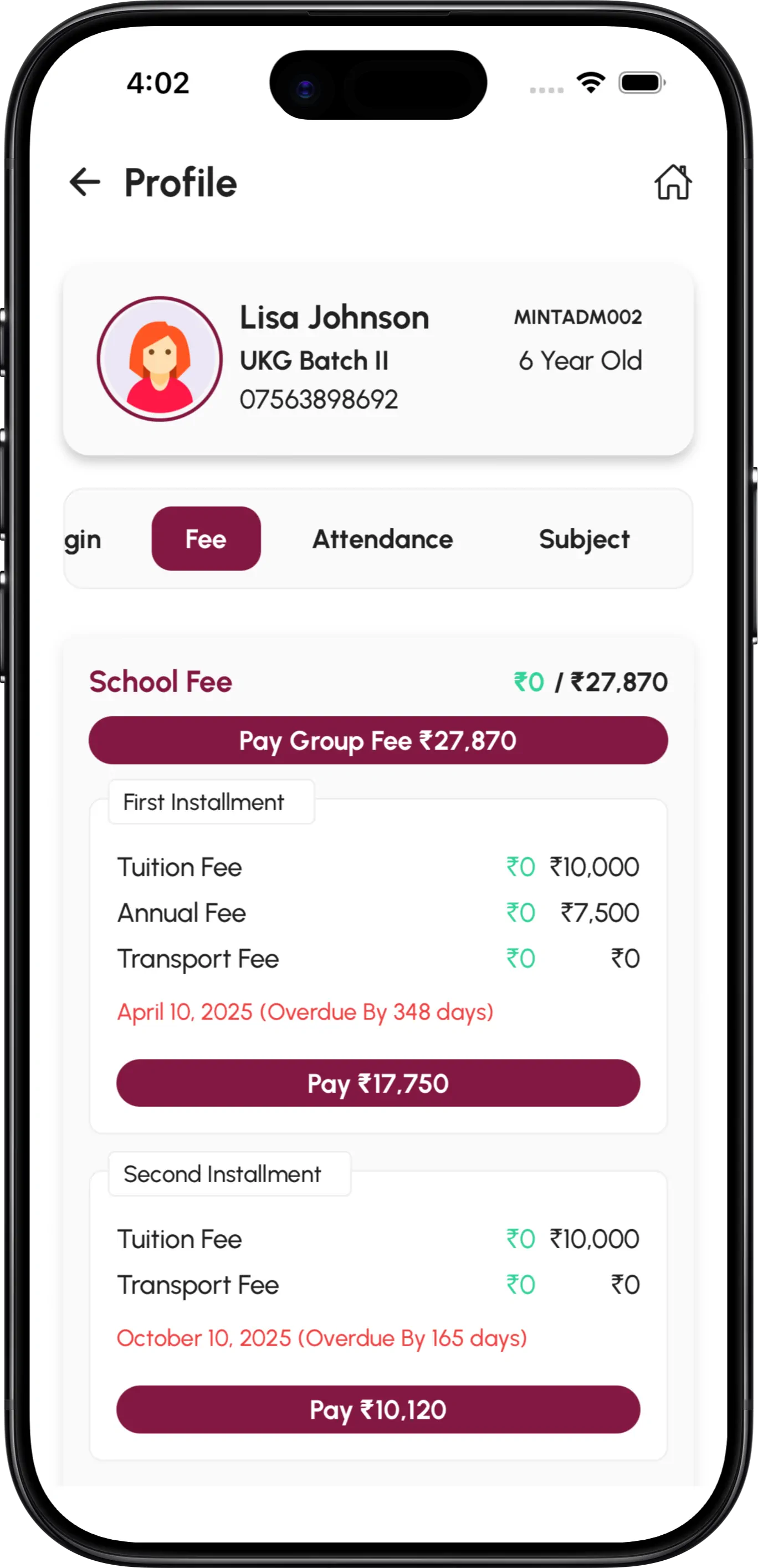
Parents can also review attendance history and attendance percentage through the guardian portal and mobile application.
Attendance Reports and Insights
Recording attendance is only the first step.
InstiKit provides detailed attendance reports that help schools monitor attendance across classes and academic sessions.
Schools can review:
- Daily attendance summary
- Monthly attendance reports
- Student-wise attendance
- Class-wise attendance
- Attendance percentage
- Attendance count
- Continuously absent students
- Printable attendance registers
These reports help administrators take timely action and improve overall attendance.
Related Features
Student attendance works seamlessly with other InstiKit modules including Student Information Management, Parent Mobile App, Notifications, Reports, Academic Structure, Leave Management, and Communication.
Because every module shares the same database, attendance information is always available wherever it is needed.
Frequently Asked Questions
Can schools create custom attendance types?
Yes. Schools can create unlimited attendance types including Half Day, Medical Leave, Preparation Leave, Sports Duty, Exam Duty, Late Arrival, Early Leave, or any attendance status required by their policy.
Can teachers update attendance for previous dates?
Yes. Authorised users can modify attendance for previous dates based on their assigned permissions.
Can parents receive attendance notifications?
Yes. Schools can send attendance notifications through push notifications, SMS, or email. Notifications can be configured for all students or only absent students.
Does InstiKit calculate attendance percentage automatically?
Yes. Attendance counts and attendance percentages are calculated automatically, making monthly reviews simple.
Can schools print attendance registers?
Yes. Monthly attendance registers can be printed directly from the attendance module.
Can InstiKit identify continuously absent students?
Yes. Schools can easily identify students with consecutive absences and take timely action before attendance becomes a concern.