Overview
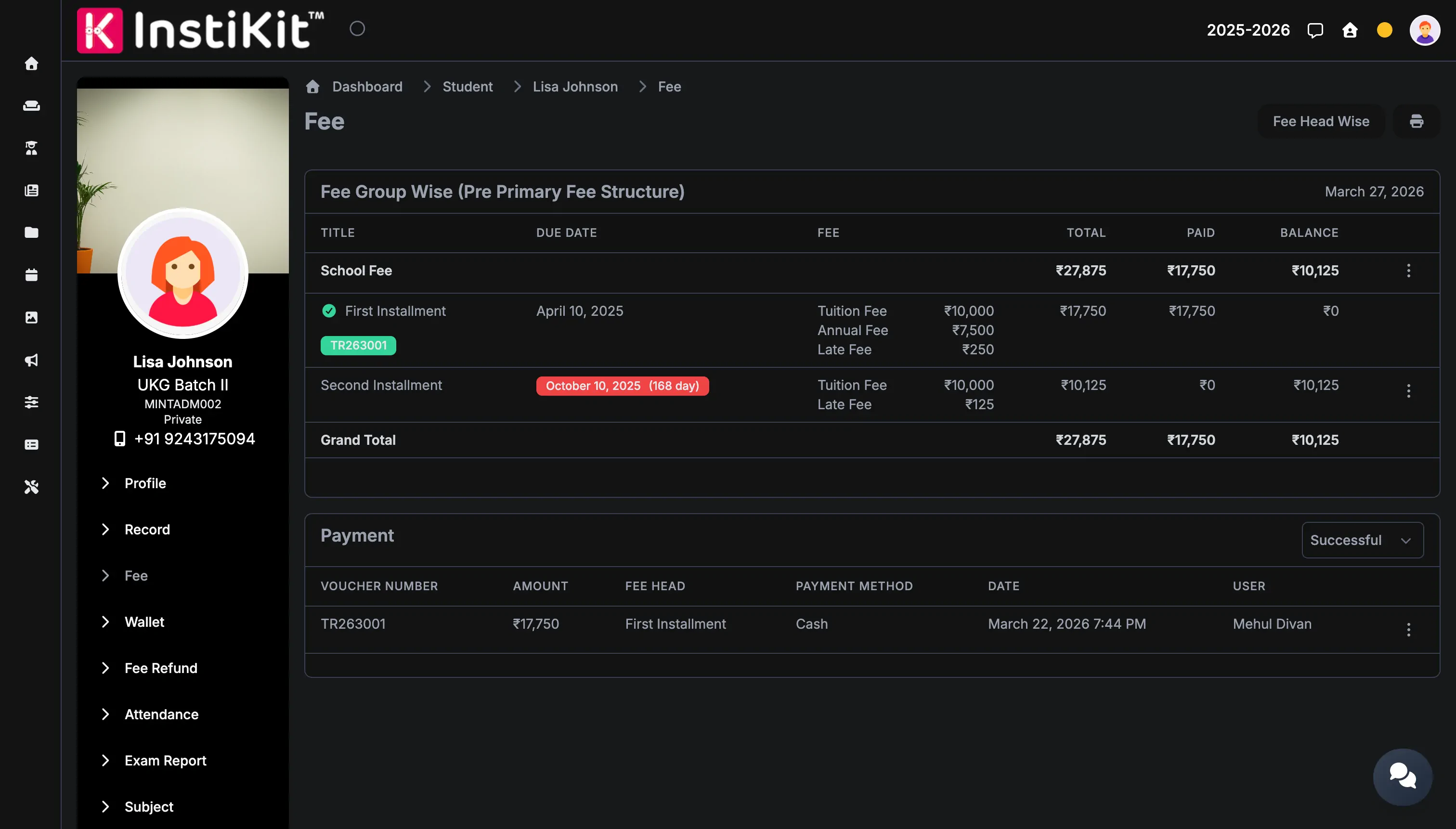
Many Indian schools already hold a CCAvenue merchant account through their bank or trust. InstiKit connects to it, so online fee payments from the parent portal and mobile app are recorded against the right student automatically.
How CCAvenue payments work in InstiKit
- The school connects its CCAvenue merchant account in InstiKit's payment settings.
- A parent opens the fee screen in the parent portal or mobile app, or follows a payment link, and chooses the installment to pay.
- The parent completes the payment on CCAvenue's secure checkout.
- InstiKit records the payment against the student's fee installment and generates the receipt.
- The accounts team sees the transaction in fee collection reports, including reports by payment gateway account.
Card and bank details are entered on CCAvenue's checkout, not stored in InstiKit.
Where CCAvenue fits
CCAvenue is a good fit for schools that already have a CCAvenue account and want to keep it while moving fee collection into the ERP. InstiKit can check the status of CCAvenue payments, which helps the accounts team resolve payments a parent says went through.
What you need
- A CCAvenue merchant account for the school or trust, approved by CCAvenue.
- The API credentials from your CCAvenue dashboard.
- Fee structures and installments set up in InstiKit, so parents see exactly what is due.
CCAvenue approves and activates the merchant account; once it is live, the credentials are entered in InstiKit.
Related fee features
CCAvenue works with the rest of InstiKit's fee management: fee structures and installments, concessions, late fees, receipts and collection reports. Parents can also pay at the school counter, and every payment, online or offline, appears in the same student fee record.