Home / Features / School ERP Integrations / BillDesk Integration for School Fee Collection
Payment gateway integration

BillDesk integration for school fee collection

Accept school fees through BillDesk from the InstiKit parent portal and mobile app, with automatic receipts and fee records that update themselves.

Feature Page

BillDesk Integration for School Fee Collection

Reading time
2 min

BillDesk Integration for School Fee Collection

Collect school fees online with BillDesk in InstiKit School ERP. Parents pay from the portal or app, receipts are generated automatically and fee records update instantly.

Online payment workflow
India
Where schools typically use BillDesk
Web and app
Parents pay from the parent portal or the InstiKit mobile app
Instant receipt
A fee receipt is generated as soon as a payment succeeds

Feature overview

Built for real school operations

What your teams can do with it day to day, and how it connects with the rest of InstiKit.

Overview

BillDesk is common among Indian schools and trusts that collect fees through their bank. InstiKit connects to the school's BillDesk account, so online fee payments update student fee records and generate receipts automatically.

How BillDesk payments work in InstiKit

  1. The school connects its BillDesk merchant account in InstiKit's payment settings.
  2. A parent opens the fee screen in the parent portal or mobile app, or follows a payment link, and chooses the installment to pay.
  3. The parent completes the payment on BillDesk's secure checkout.
  4. InstiKit records the payment against the student's fee installment and generates the receipt.
  5. The accounts team sees the transaction in fee collection reports, including reports by payment gateway account.

Card and bank details are entered on BillDesk's checkout, not stored in InstiKit.

Where BillDesk fits

BillDesk suits schools whose bank has set up fee collection through BillDesk. InstiKit can check BillDesk payment status, which helps the accounts team reconcile payments that are still pending.

What you need

  • A BillDesk merchant account for the school or trust, approved by BillDesk.
  • The API credentials from your BillDesk dashboard.
  • Fee structures and installments set up in InstiKit, so parents see exactly what is due.

BillDesk accounts are usually arranged through the school's bank; once active, the credentials are added in InstiKit.

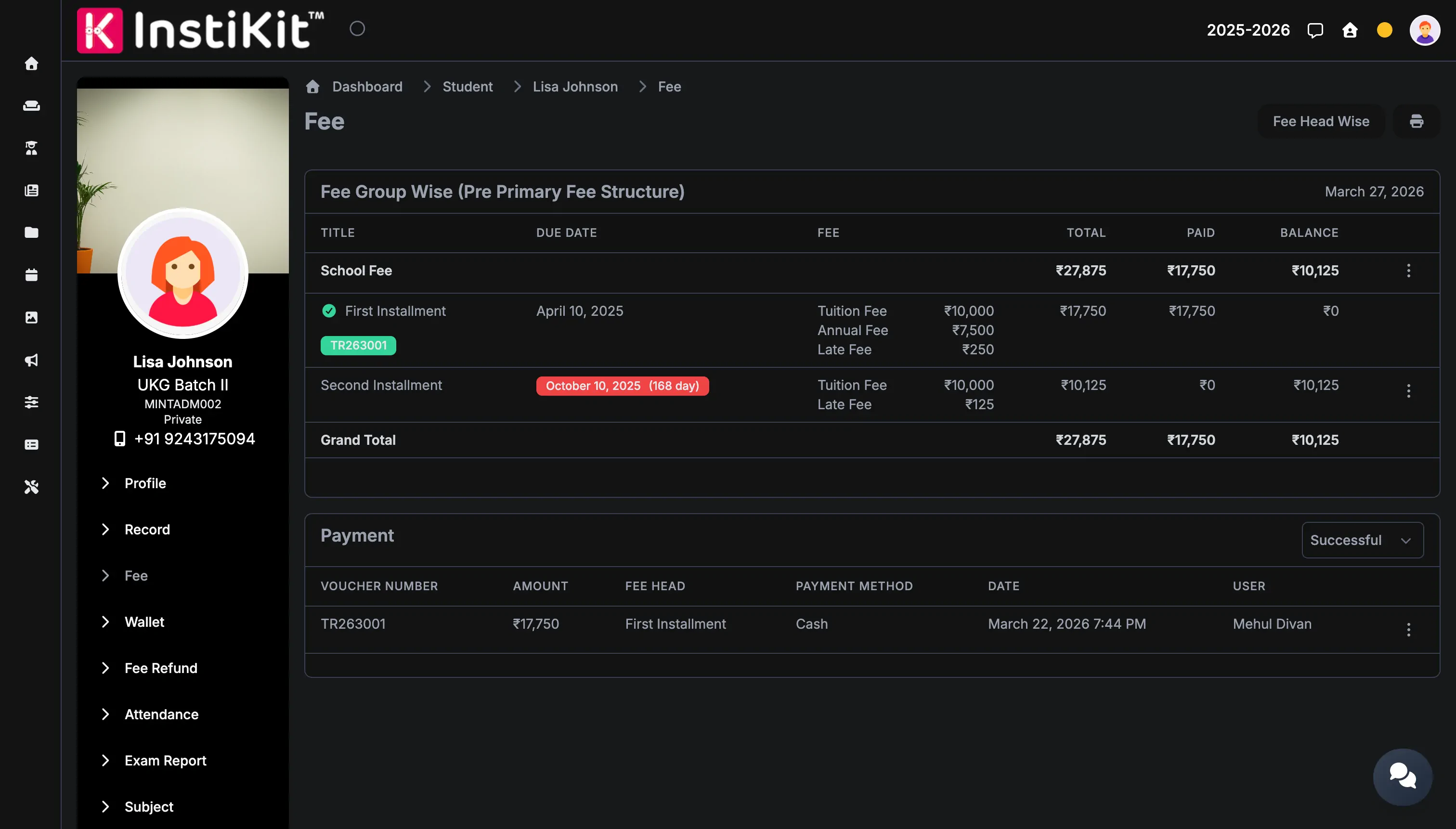
BillDesk works with the rest of InstiKit's fee management: fee structures and installments, concessions, late fees, receipts and collection reports. Parents can also pay at the school counter, and every payment, online or offline, appears in the same student fee record.

Feature highlights

What makes this workflow practical for schools

Pay through BillDesk

Parents pay with the methods enabled on your BillDesk account, such as net banking, cards and UPI.

Automatic fee records

Successful payments are recorded against the student's fee installments without manual entry.

Guest payment and payment links

Parents can pay without logging in, or from a payment link with the fee details filled in.

Payment status check

Check BillDesk payment status from InstiKit to reconcile pending transactions.

Screenshot gallery

See the feature across daily use cases

Online payment workflow

Online payment workflow

Support digital fee payments with a parent-friendly journey that keeps finance teams in sync.

Fee collection dashboard

Fee collection dashboard

Monitor collections, pending dues, receipts, and payment channels from one finance-ready screen.

Who benefits

Useful for every team involved in this workflow

Parents

Pay from anywhere

Pay fees from the parent portal or mobile app and receive the receipt straight away.

Accounts team

No manual reconciliation

Successful payments update the student fee record and generate a receipt automatically.

Management

Clear collection reports

Review online collections by payment gateway account alongside counter payments.

Related features

Explore connected workflows in the same category

Frequently asked questions

Answers schools usually need before moving forward

Yes. InstiKit can check the status of BillDesk payments to help resolve pending or disputed transactions.

Yes. InstiKit connects to the school's own BillDesk merchant account.

Yes. Parents can pay from the InstiKit parent portal or the mobile app.

Next step

Collect school fees with BillDesk and InstiKit.

Book a demo to see BillDesk fee payments, automatic receipts and collection reports in InstiKit School ERP.